 Skip to content
If you're an attorney filing a family case in Tarrant County district court, e-filing is mandatory, and the filing has to go through the statewide eFileTexas system as a text-searchable PDF. If the document format is wrong, the clerk can reject it even when the case itself is otherwise ready to go.
That's the part many people miss when they're rushing to file a divorce, custody case, or modification in Fort Worth. The rule is not just “file electronically.” The practical question is whether the envelope, the PDF, the signatures, and the attachments are all acceptable to the District Clerk on the first try.
Table of Contents
- What E-Filing Means for Tarrant County Family Cases
- Setting Up Your eFileTexas Account for Family Filings
- Document Formats and Signature Rules That Hold Up
- Filing Fees, Fee Waivers, and Service of Process
- Common Rejection Reasons in Tarrant County Family Filings
- Your Pre-Filing Checklist and Next Steps
What E-Filing Means for Tarrant County Family Cases
A Fort Worth parent may finish a divorce or SAPCR petition, upload it, and still have no usable court filing. The clerk must receive the submission through the approved electronic channel and be able to process the documents for the correct family case. For attorneys, electronic filing is required through the statewide system. Tarrant County's District Clerk explains how its family filings fit within Texas's mandatory electronic filing structure. Tarrant County District Clerk e-filing information
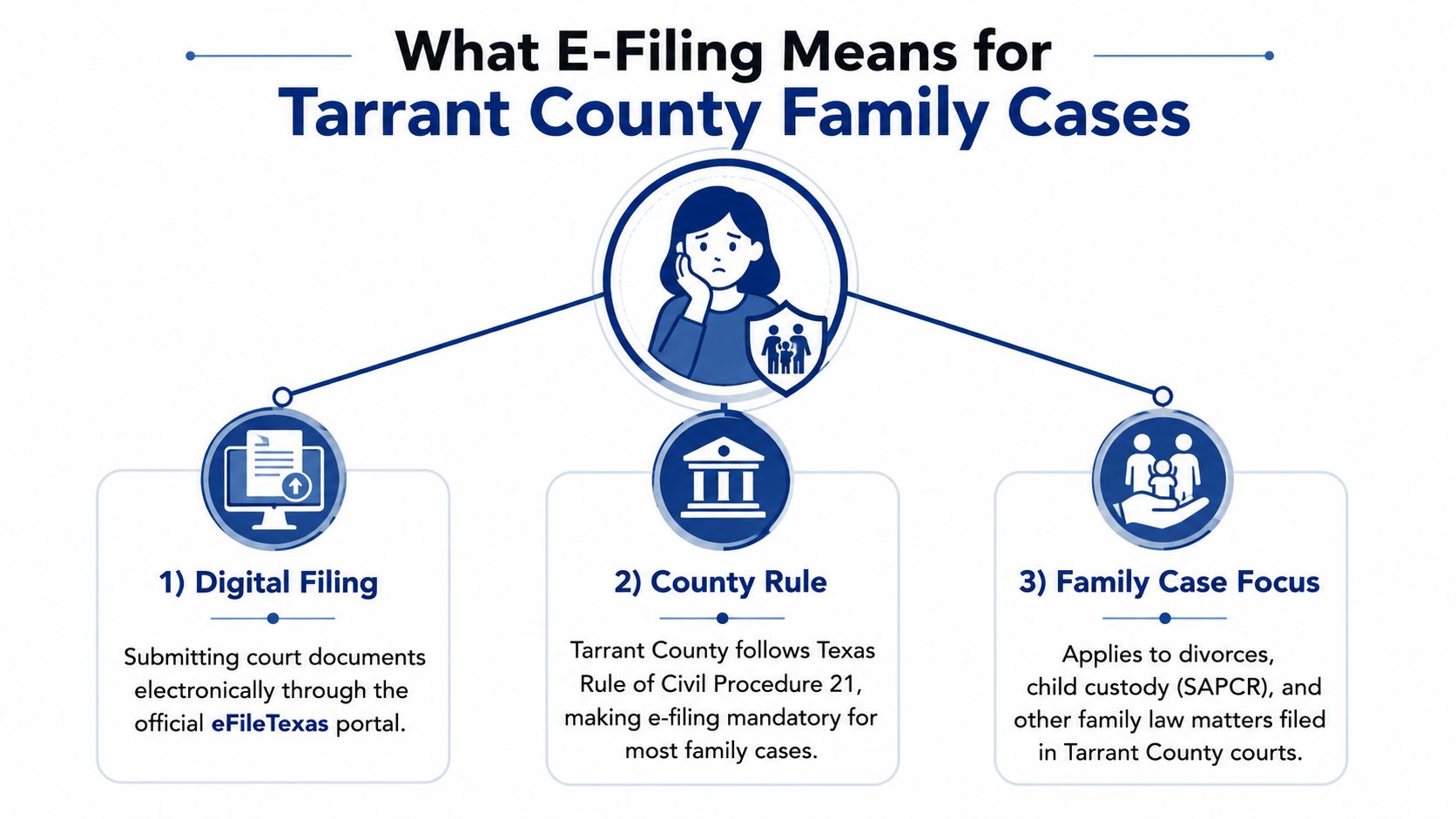
The filing must be usable by the clerk
A successful upload confirms only that the system received an envelope. It does not confirm that the clerk can accept the filing. Intake still depends on the filing category, document format, signatures, attachments, and routing information.
Practical rule: treat the electronic envelope as a court submission, not a file transfer. A document that reaches the portal but cannot be processed may be returned for correction.
That distinction applies across Tarrant County family matters, including divorces, SAPCRs, custody modifications, enforcement actions, and related pleadings. The Texas eFile system identifies electronic filing as the required route for attorneys handling family cases in district and county courts. A self-represented filer may have different options, but should confirm the applicable procedure before relying on paper delivery or an email.
What this means at the courthouse
Tarrant County maintains separate intake and contact pathways for family matters, including a Family/OAG e-filing line and courthouse scanner stations for corrections or on-site rework. Those resources can help when a submission needs prompt repair, but they do not replace careful preparation. A corrected filing may still affect timing, fees, or notice to the other parties.
The practical decision is straightforward. If you represent a party, prepare the submission for e-filing and verify that the selected court, case category, and document set match the family matter. If you are filing without an attorney, confirm whether the same electronic route applies to your filing before choosing another delivery method.
Once the route is settled, account setup becomes the first operational checkpoint. The filer must use the correct statewide portal profile and build the envelope for Tarrant County family court. That setup determines where the filing goes and how confirmations, payments, and clerk responses are tracked.
Setting Up Your eFileTexas Account for Family Filings
A filing can fail before the petition is uploaded. The eFileTexas account must be active, tied to the correct filer role, and configured for Tarrant County family court. The portal handles routing, payment, and filing confirmations, so an account that merely accepts a login is not enough.
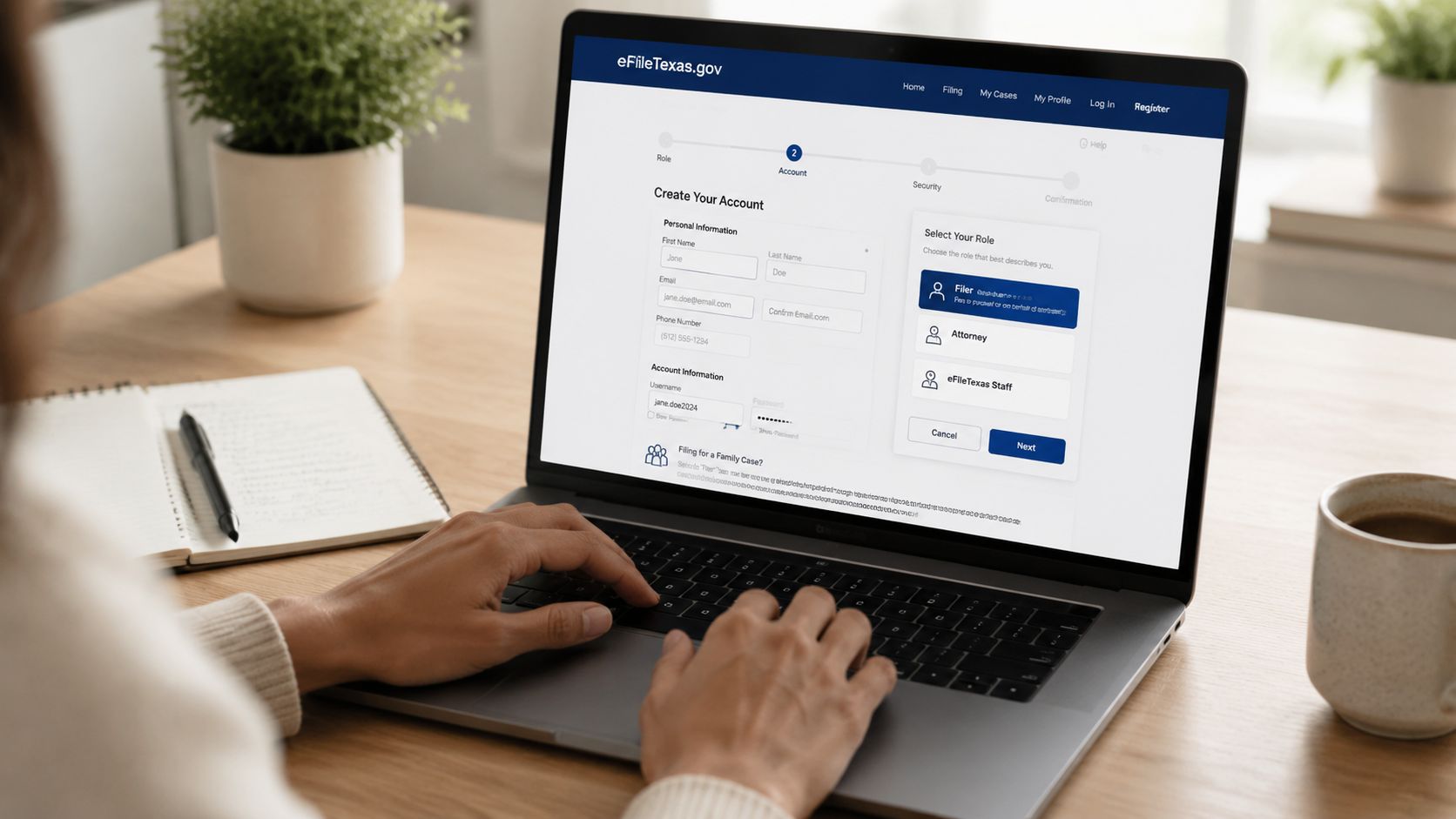
Start with the account details that can cause rejection later
Register through the statewide portal, choose the correct role, and keep the contact information consistent. Use one email, one payment profile, and a filing identity that matches the person or office submitting the case. When those details do not align, tracking the envelope becomes harder and the submission is more likely to encounter a processing problem.
For a Tarrant County family case, add the county as an authorized filing location and select the correct family court location in the envelope. That detail determines routing. A divorce petition assigned to the wrong case category, or a modification sent to the wrong court location, can lose time before the clerk reviews the filing itself.
Use the county's family filing channel when something goes wrong
Tarrant County has a distinct family filing workflow, including its dedicated family filing line at 817-212-6954 and guest e-filing stations at the Tim Curry Justice Center and the Family Law Center. These stations can help when a document must be scanned, converted, or corrected on site. They may provide the quickest repair when a submission is stalled, but they do not replace checking the account and envelope before filing. Tarrant County District Clerk family e-filing FAQ
If a filing is time-sensitive, do not assume a fresh account login solves the problem. The envelope, document format, or selected filing location is usually the issue.
Set up the account before preparing the final submission. Verify the payment method, then confirm that Tarrant County family matters are configured correctly before uploading a petition or motion. Use the statewide portal's help resources for technical account problems. Contact the county line when the question concerns local intake or a courthouse-specific filing issue.
Don't confuse a working account with a ready filing
A successful login only confirms access to the portal. The case still has to map to the right family matter and court, and the clerk must receive an envelope it can process. If the portal settings are wrong, even a complete document packet can be delayed.
Use a simple decision point: if the account, county, role, and court location match, proceed to document preparation. If any one of those items is uncertain, correct it before uploading. Mandatory e-filing answers how the submission must be delivered. It does not make every electronic format acceptable.
Document Formats and Signature Rules That Hold Up
A petition can be submitted through eFileTexas and still fail intake because its file is unusable. In Tarrant County family cases, mandatory e-filing addresses the delivery method. It does not make every electronic format acceptable. The clerk still needs a readable document, a valid signature, properly prepared sworn material, and attachments that can be identified without reconstructing the filing.
Start with the filing document, not the envelope
The lead pleading should be a text-searchable PDF created from the original document whenever possible. A phone photograph, a low-quality scan, or a locked file can prevent the clerk from reviewing or processing it. Keep the petition, exhibits, and proposed orders as separate files when they serve different purposes. Combining everything into one oversized PDF makes correction harder if one part is rejected.
The statewide e-filing quality reports identify document and submission corrections as part of the intake process, so file preparation is an operational requirement, not merely a formatting preference. Texas eFileTexas status report
| Format Element | Accepted | Rejected |
|---|---|---|
| Lead petition | Text-searchable PDF | Scanned image or locked file |
| Exhibits | Separate, clearly labeled attachments | Buried inside the petition PDF |
| Proposed orders | Separate document when needed | Hidden inside another file |
| Signatures | Electronic signature block or proper original signature on file | Missing signature or improper upload |
| Notarized documents | Properly notarized before upload | Unsworn or unnotarized when notarization is required |
Use this decision point before uploading: if the document is searchable, signed, and separated from its exhibits, prepare the envelope. If one of those conditions is missing, fix the document first. Resubmitting a defective file rarely solves the underlying problem.
Signatures and notarization are separate requirements
Texas electronic filing practice permits electronic signature blocks, but the filer must retain the original signed version when the law requires it. A typed signature line does not replace an oath, and uploading a document does not cure a missing notarization. If a pleading or affidavit must be sworn, complete the oath and notarization before creating the PDF.
This matters in family cases involving sworn statements, emergency requests, and supporting affidavits. Build the filing in layers: sign the document, convert it to a searchable PDF, attach clearly labeled exhibits, and then create the envelope. The county's local procedures can affect how a particular family filing is presented, so compare the packet against the Tarrant County 322nd District Court family law procedures before submission.
Make exhibits easy to locate
An exhibit should look ready for court review, not like a collection of phone images. Label each attachment clearly and refer to it consistently in the pleading. For a custody modification, a prior order, school record, or communication log should be readable and easy to identify. Phone screenshots can be used only when they remain legible and are organized as a properly labeled attachment.
Clean format wins here. The clerk needs a searchable filing package that matches the court's intake rules.
Before submitting, open every PDF after conversion. Confirm that the text can be searched, pages appear in the intended order, signatures are visible, and exhibits have not been cut off. Then check that each uploaded document is assigned the correct filing code and description. The portal can accept the envelope while the clerk later rejects the underlying file, so successful transmission is not the same as an acceptable filing.
Filing Fees, Fee Waivers, and Service of Process
A filer can submit a family-law envelope successfully and still face a payment or service problem afterward. In Tarrant County, separate the case-opening fee, later filing charges, record-copy costs, and service expenses before sending anything. That distinction matters because mandatory e-filing controls how documents reach the clerk, while it does not make every filing free or complete service on the other party.
Start with the filing and service costs
A new divorce, SAPCR, or modification generally begins with a clerk filing fee. Motions and other requests may create additional charges as the case develops. Formal service is a separate decision. If the respondent has not signed a valid waiver, the filer may need citation and service through an authorized process server or other permitted method.
The Tarrant County District Clerk divorce filing fee schedule provides a local reference for divorce-related filing charges. Confirm the amount and filing category that apply to the specific document before preparing the envelope, because the correct document format does not guarantee that the selected fee code is correct.
Tarrant County's family-law records information also treats copies as a separate expense. Non-certified electronic copies cost $1 for 1–10 pages plus 10 cents per page for 11 or more pages. That cost may arise later when a party orders records, even though it is not part of the initial filing fee. Tarrant County family-law records information
Decide early whether a fee waiver is needed
A party who cannot afford court costs may use the Statement of Inability to Afford Payment of Court Costs. The statement must be completed as a sworn claim and submitted with the case materials so the clerk can review the request with the filing. Treat it as part of the filing package, not as an informal note attached after submission.
The practical decision tree is straightforward. If the filer will pay, verify the applicable fee and select the matching filing code. If the filer will request a waiver, complete the sworn statement before submitting the petition or motion and make sure it is uploaded in a form the clerk can review. If the waiver paperwork is missing, incomplete, or disconnected from the filing, the case may pause while the filer corrects it.
E-filing does not replace service
After the case is opened, determine how the other party will receive legal notice. A signed waiver of service may be available when the rules permit it. Without a valid waiver, arrange formal service and file the Return of Service afterward so the court has proof that delivery occurred.
Electronic service between attorneys follows Texas electronic-service rules once counsel are participating in the case. That process is different from formally serving a party who has not appeared. Selecting an electronic filing option for the clerk does not itself notify an unrepresented respondent or satisfy the service requirement.
| Filing Type | Approximate Fee | Waiver Available | Notes |
|---|---|---|---|
| New family case | Varies by filing type | Yes, if indigence is proven | Usually starts the case |
| Motion or later request | Varies by request | Sometimes | May create separate costs |
| Citation or formal service | Varies by service method | Sometimes | Needed when no waiver is signed |
| Certified or copied records | Per page and copy type | Not usually the point of a waiver | Separate from filing itself |
Before submission, match three items: the filing category, the payment or waiver paperwork, and the service plan. The portal's acceptance only confirms transmission. The clerk still reviews the underlying filing, and the respondent may still need service through a separate legal process.
Common Rejection Reasons in Tarrant County Family Filings
A filing can be mandatory to submit electronically and still be unacceptable in the form uploaded. That distinction causes many Tarrant County family-law rejections. A divorce, custody case, or modification may be properly filed through the required portal, yet returned because the documents, attachments, or filing envelope do not match.
The petition, cover sheet, and requested relief must agree
A divorce petition may be rejected when the cause-of-action selections do not match the allegations in the pleading. The problem usually starts on the cover sheet or filing code. If the filer selects one type of relief but requests something different in the petition, the clerk cannot treat the packet as internally consistent.
Use a simple decision point before uploading: compare the relief selected in the filing details with the relief stated in the petition and proposed orders. If those answers differ, correct the documents before submission. E-filing confirms that the packet was transmitted. It does not make inconsistent documents acceptable.
A SAPCR may also be returned if it lacks the UCCJEA affidavit required for the court to evaluate the child's residence history and related out-of-state information. The affidavit is often drafted after the petition, then overlooked during assembly. Treat it as part of the initial packet, not as an optional attachment.
Prior orders and party names control the case record
A modification filing generally needs the prior order attached. That order shows the court what terms are currently in effect and what the new request seeks to change. Without it, the clerk may be unable to confirm that the filing belongs in the existing case or understand the requested modification.
Party names must also remain consistent across the envelope, cover sheet, petition, exhibits, and proposed orders. A parent identified differently in separate documents can trigger a rejection even when the difference appears minor. Accurate names protect the case record and reduce later confusion about who is bound by an order.
PDF quality can decide whether the packet is accepted
Scanned exhibits create a frequent format problem. A document may look readable on a computer yet remain difficult for the clerk's system to process if it is blurry, rotated, incomplete, or not text-searchable. Convert or scan exhibits into clear, searchable PDFs whenever possible, then open each file before uploading it.
A practical review sequence is: confirm the correct document type, open the PDF, check every page, and verify that the attachment belongs to the filing selected in the portal. That catches many errors before the clerk sees them.
Real-world takeaway: rejection usually means the court never reached the merits. The packet stopped at intake because the filing format, attachments, or information did not line up.
A strong case can still stall over a preventable envelope error. If temporary orders or a custody change are time-sensitive, review the packet against the court's required format before submitting, rather than relying on the portal to identify every problem.
Your Pre-Filing Checklist and Next Steps
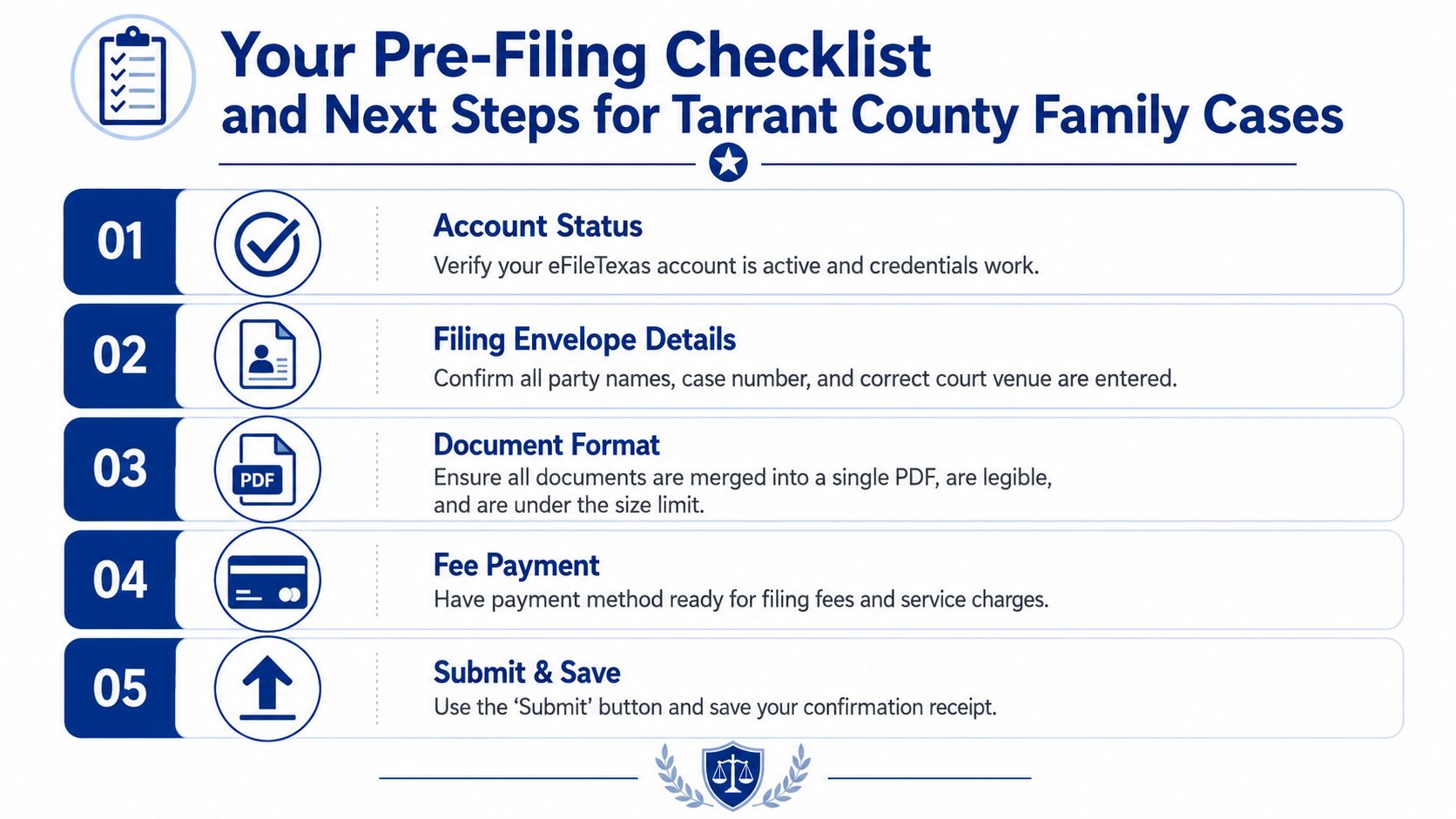
A solid Tarrant County family filing usually comes down to a short list of checks done before the final upload. If those checks are handled carefully, the clerk is much less likely to bounce the packet for something basic. If they're rushed, even a strong case can get slowed down by a preventable intake issue.
Run the filing through this final screen
- Account status: Make sure the eFileTexas account is active and the login works before the deadline day.
- Filing envelope details: Confirm the correct party names, case number if one exists, and the right Tarrant County family court venue.
- Document format: Check that the PDFs are legible, searchable, and separated into the correct documents.
- Fee plan: Verify the payment method or include the proper waiver paperwork if costs cannot be paid.
- Service plan: Know whether citation, waiver of service, or attorney electronic service applies before you submit.
The county's Family Law Center page is a helpful local reference for records and contact details when the filing has follow-up needs: Tarrant County Family Law Center information
A simple decision tree helps more than guesswork
If the matter is straightforward and uncontested, a self-represented filer may be able to use the county's accepted channels and manage the upload carefully. If the case is still simple but the forms are unfamiliar, a guided-form service can sometimes help organize the packet. If the filing involves disputed custody, urgent temporary orders, complex property issues, or a time-sensitive modification, it's usually safer to have a Fort Worth family lawyer review the filing before it goes out.
That advice is not about making the process sound difficult. It's about avoiding the expensive mistake of having to redo a filing because the envelope, exhibits, or service documents weren't ready. The clerk's office is not deciding who wins the case, but it is deciding whether the case can move forward.
If you're getting ready to file a divorce, custody case, modification, or enforcement matter in Tarrant County, the Law Office of Bryan Fagan PLLC can help you understand the filing path before a simple intake error slows your case down. Visit Law Office of Bryan Fagan PLLC to learn more about family law guidance for Fort Worth and Tarrant County clients, and to take the next step with a local team that understands how these filings work.
